
Product 01 / 03 Available
Un-Plastic
Turn waxy AI skin into real skin, in the photo you already made, without changing the face.
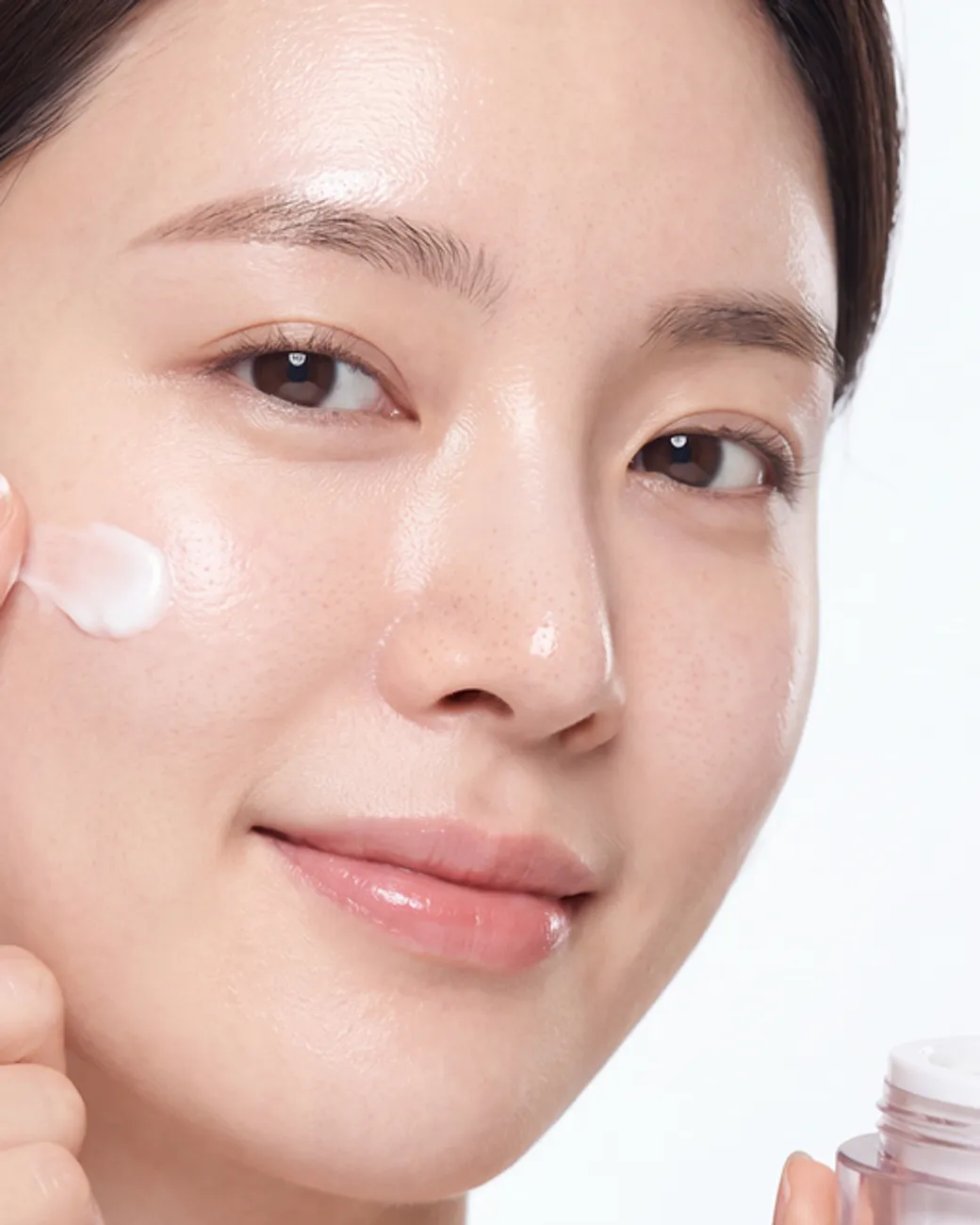
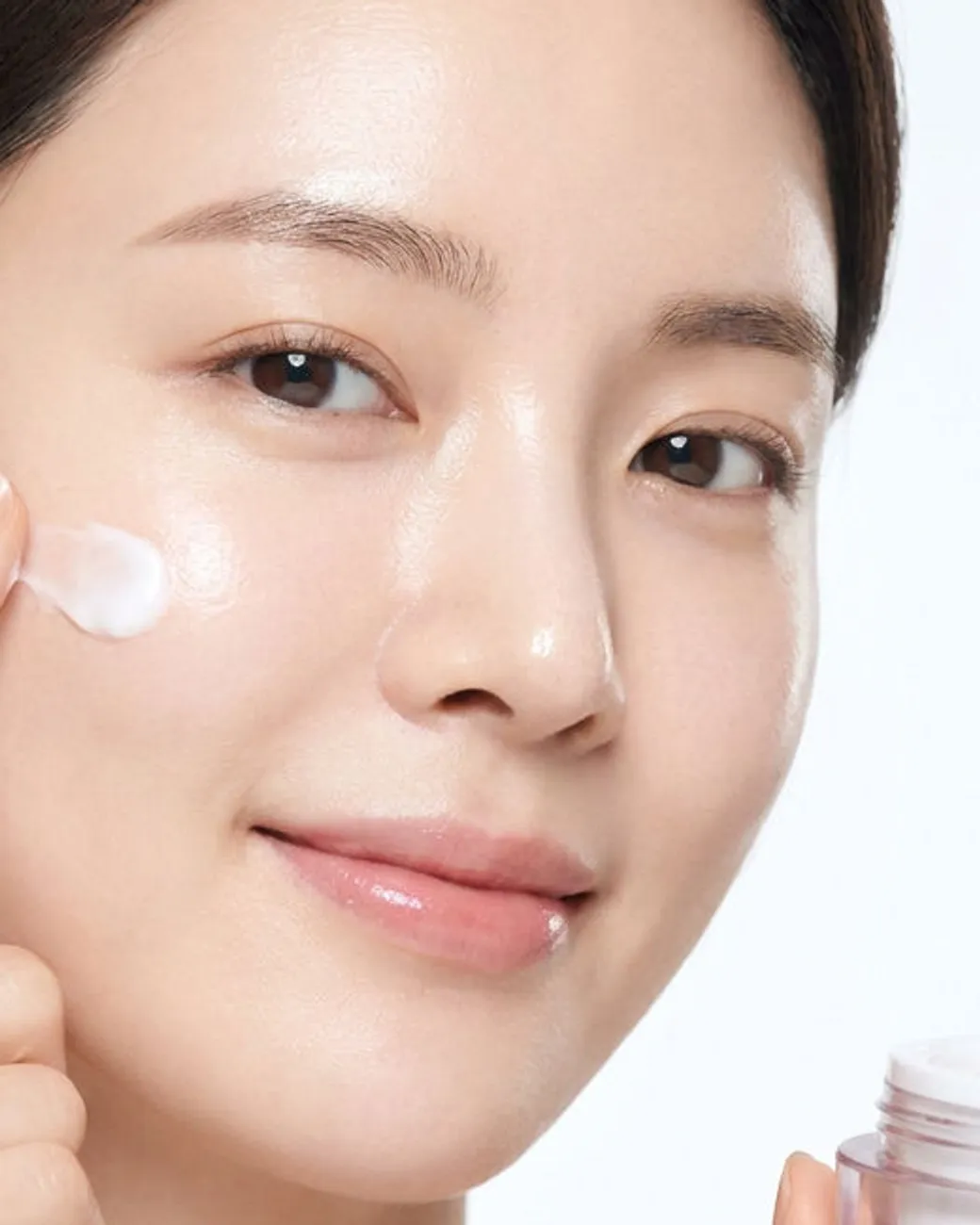
Drag to compare
Make AI portraits look like real photos, without changing the face
AI image models smooth skin into wax: no pores, one flat tone, pure-white eyes and a highlight that looks painted on. Un-Plastic is two paste-in edit prompts that fix exactly that in the photo you already made. Attach it in Nano Banana Pro or GPT Image (ChatGPT) edit mode, paste one block, and the same photo comes back with real skin texture: visible pores, a natural sebum sheen, under-eye texture, fine facial hair and eyes with a real catchlight.
Everything else stays put. The face, expression, gaze, pose, hands, clothing, background, crop and lighting are locked in the prompt, so it works on finished client images, UGC ads and AI influencer posts without starting over.
Version 2.0 adds a second step. Run the edited photo through the Magnific Precision V2 upscaler at the settings in the guide and the whole image turns crisp and photographic. The guide names where to run it and what it costs: about $0.12 an image on FLORA, paid to FLORA. Un-Plastic does not include tool credits.
Will an upscaler fix plastic skin?
Upscaling is the obvious fix, and so is adding “8K” to the prompt; every before here was made with “8K” in the prompt. On all three test photos, Magnific Precision V2 on its own made the skin sharper but added no pores. The block adds the texture and the upscale adds the crispness: block first, then upscale.
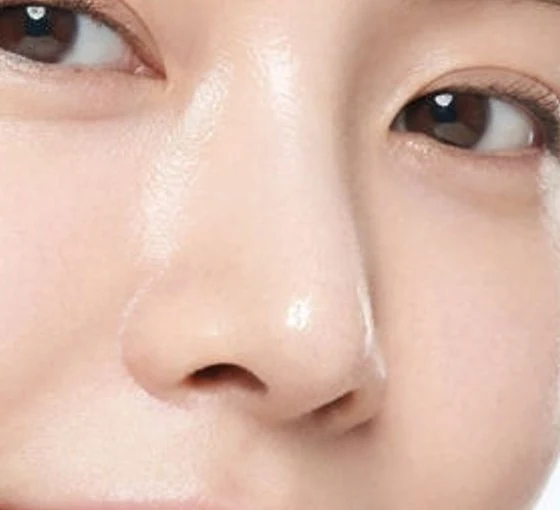
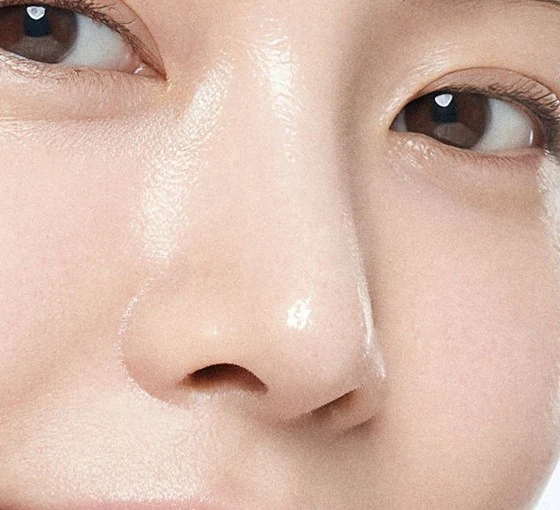
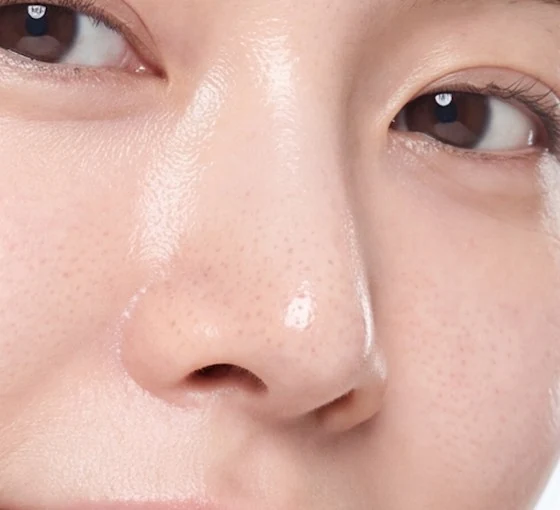
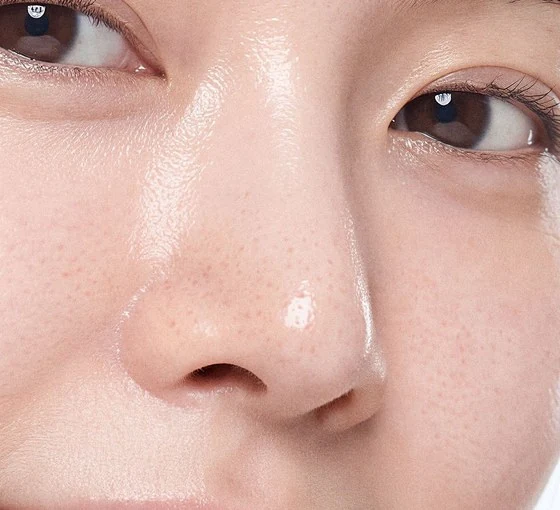
Close-ups of test photo 10, the skincare ad, all four scaled to the same size. The upscale is Magnific Precision V2 at Set 1, run on FLORA.
The 2.0 recipe, up close
Drag to compare. The before is a plain “flawless, 8K” render from Nano Banana Pro at 4K. The after is the same photo after one run of Block A and one Magnific Precision V2 upscale at Set 1.
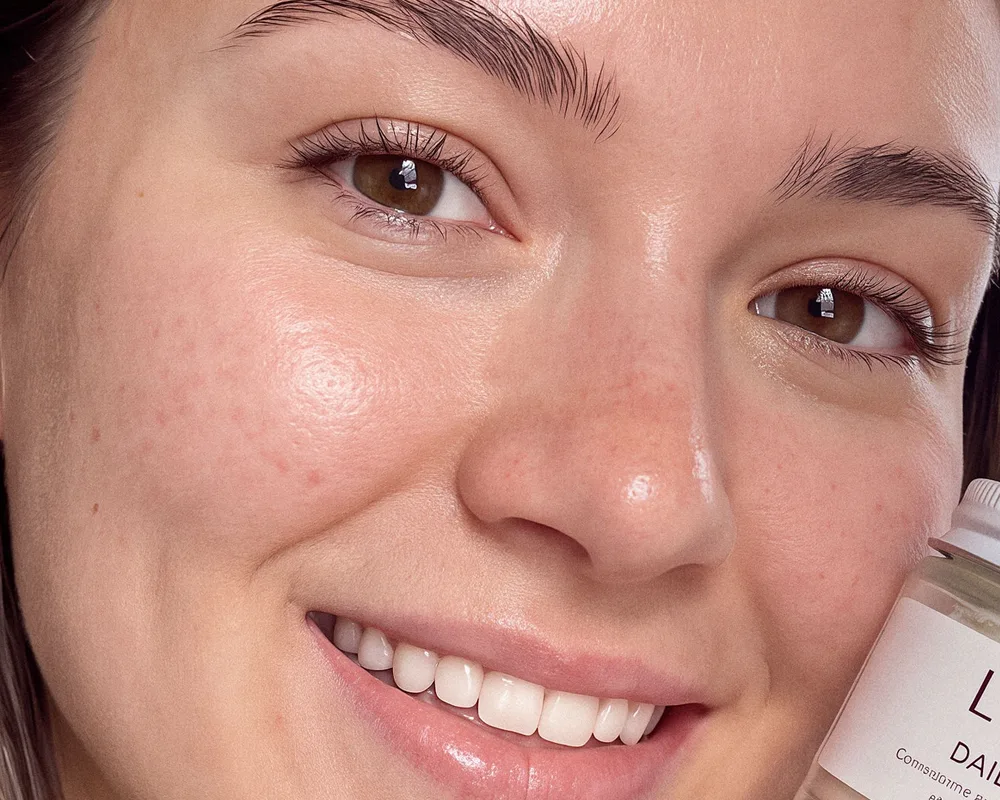
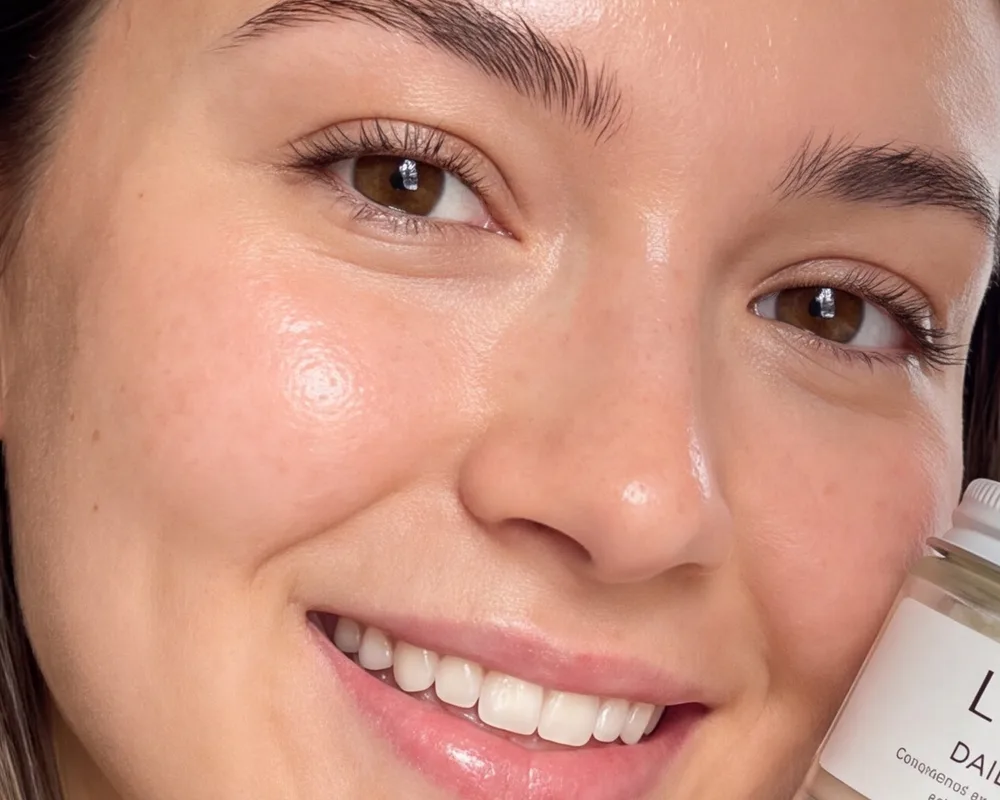
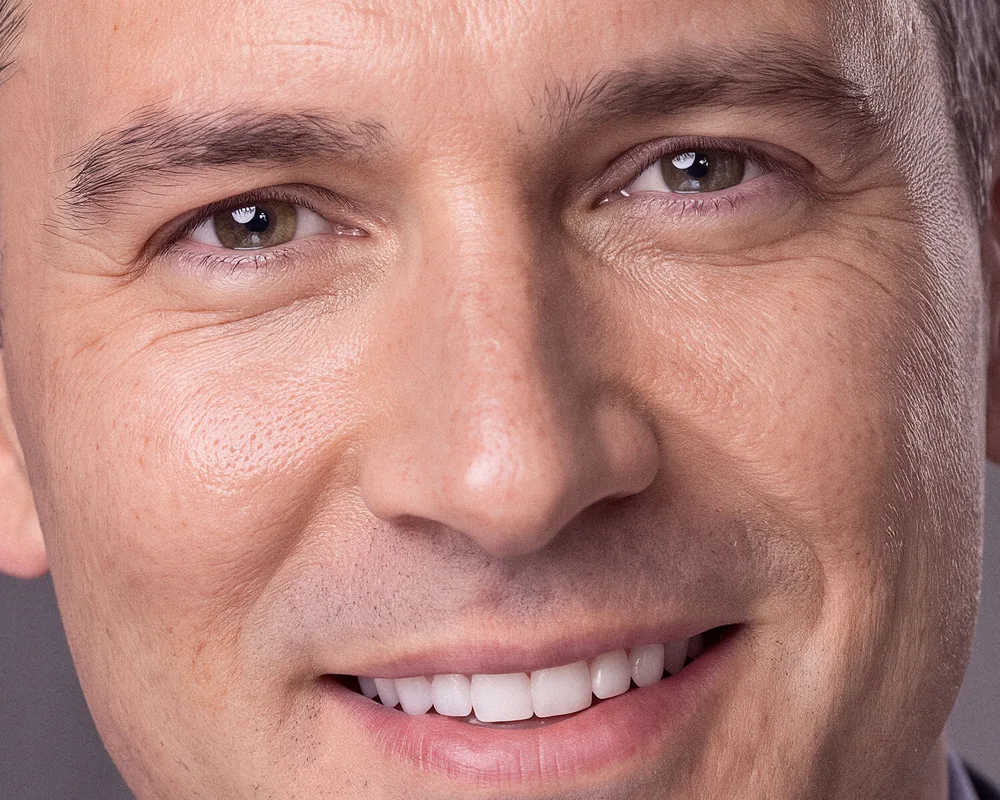
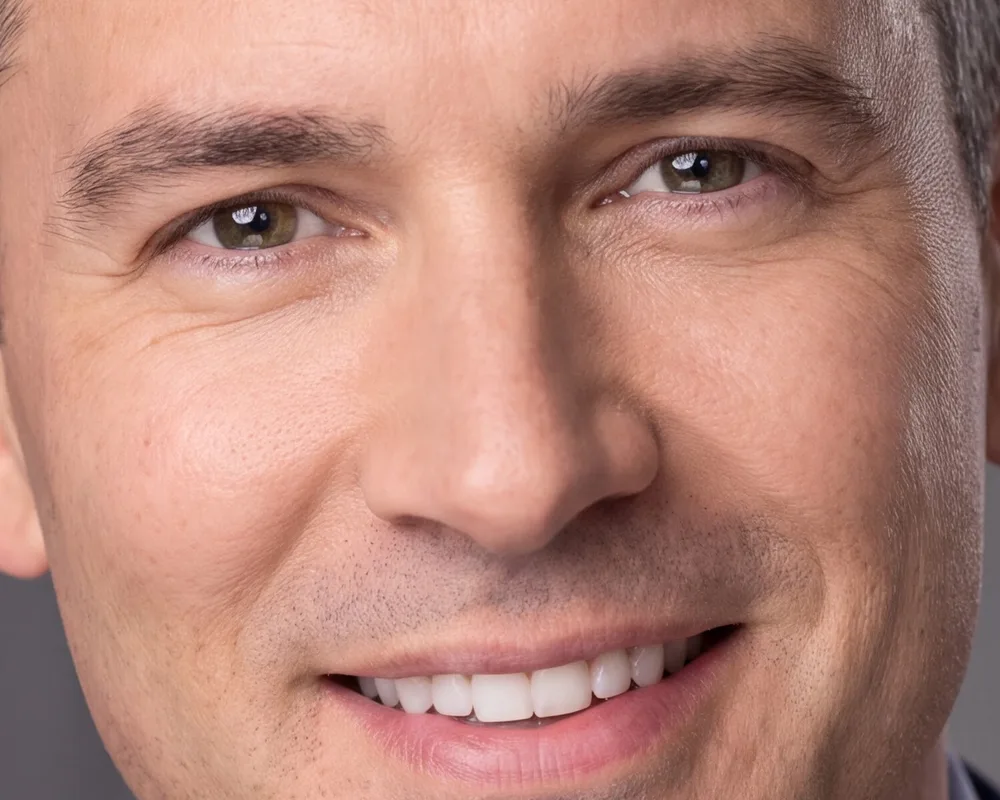
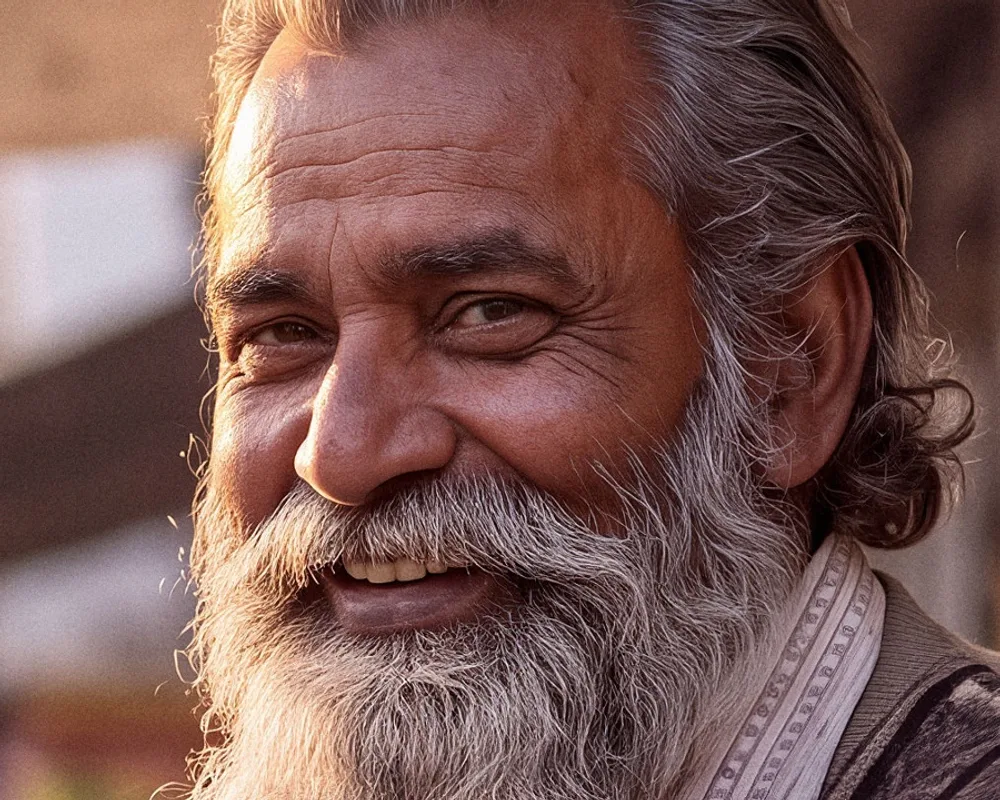
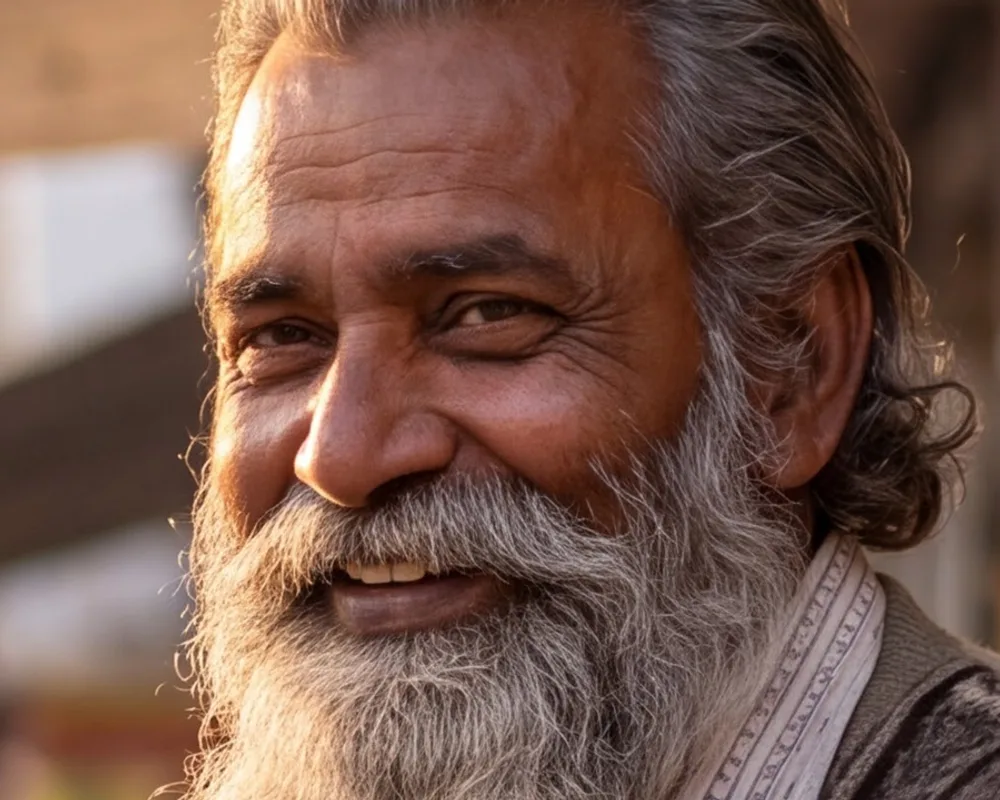
Close-ups from six launch photos made on Nano Banana Pro at 4K; both sides are shown at the same size. All six kept the face, the smile and the gaze.
Before and after: ten waxy portraits, tested
Drag any image to compare. Each after is a single run of Block A in Nano Banana Pro, with nothing added, on a portrait generated to look as plastic as possible.
- 10/10
- faces, smiles and gazes held in Nano Banana Pro at 4K
- 10/10
- faces held in GPT Image edit mode at 1K, with a gentler skin change
- 4
- rounds of testing on the two blocks
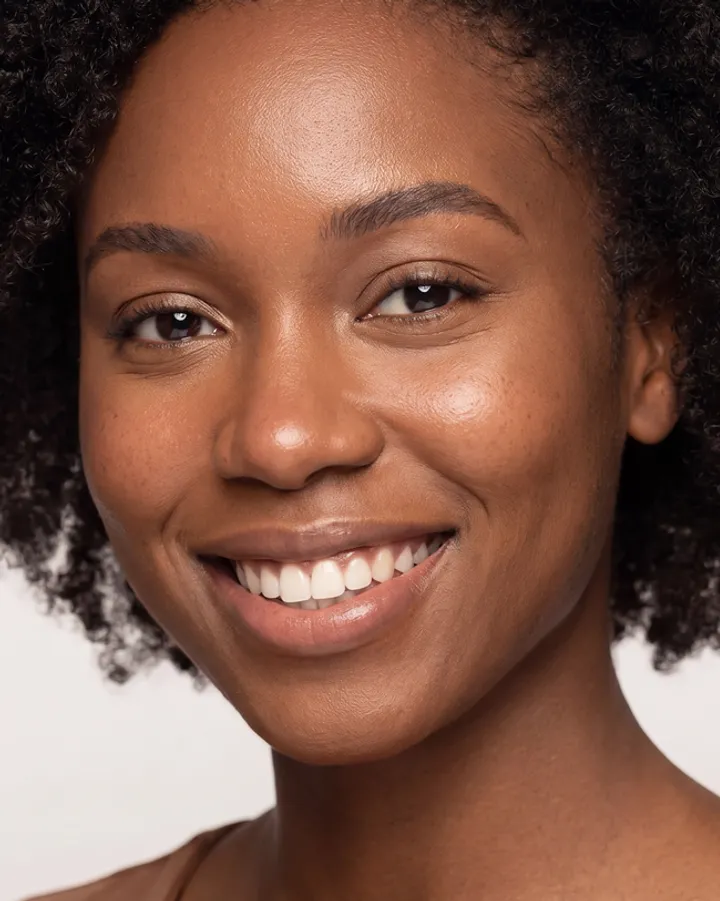
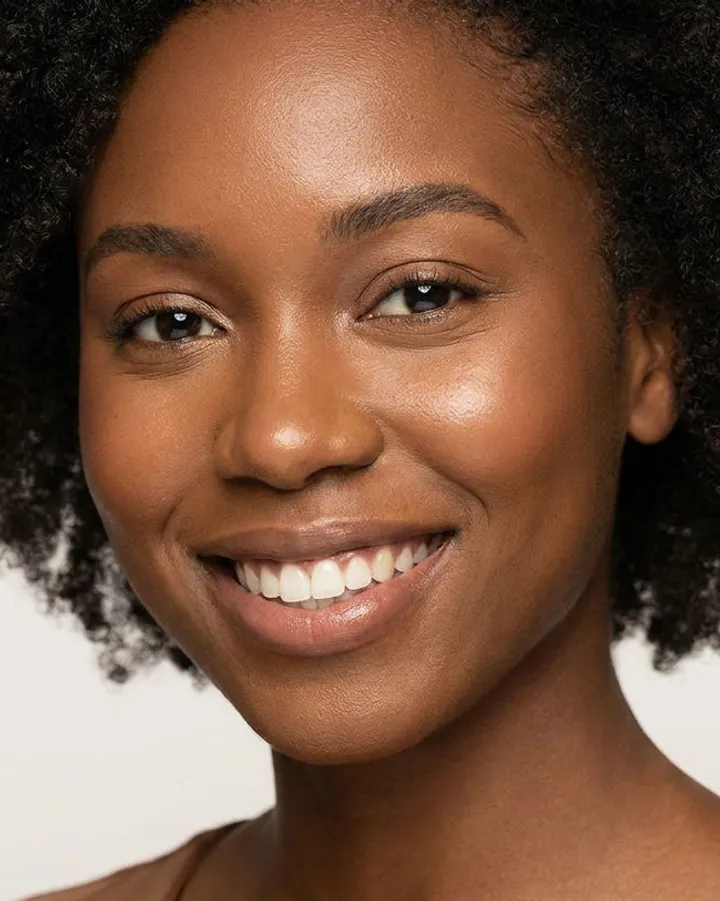
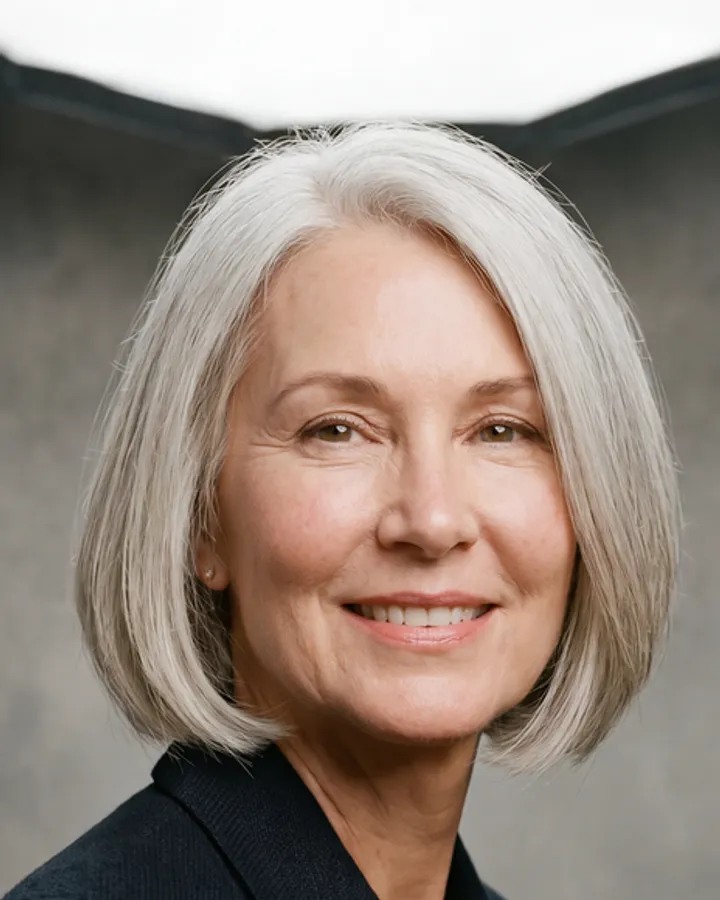
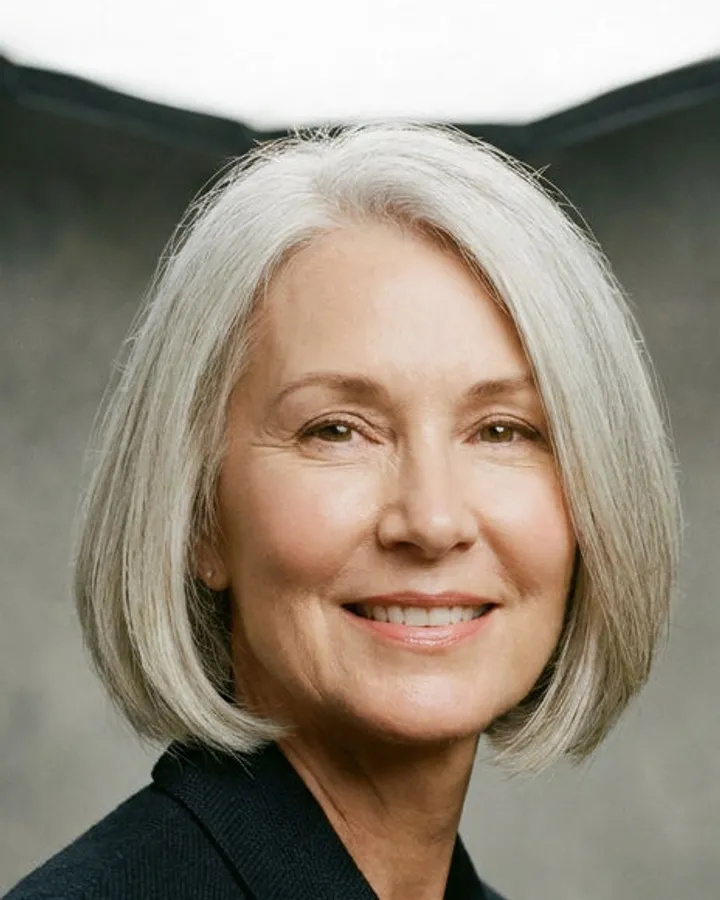
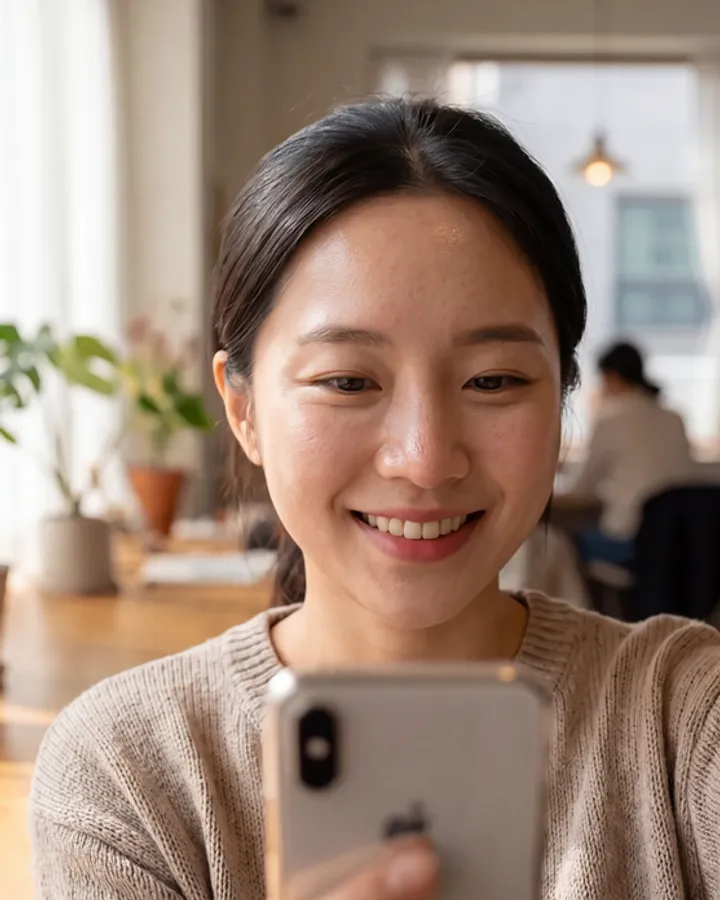
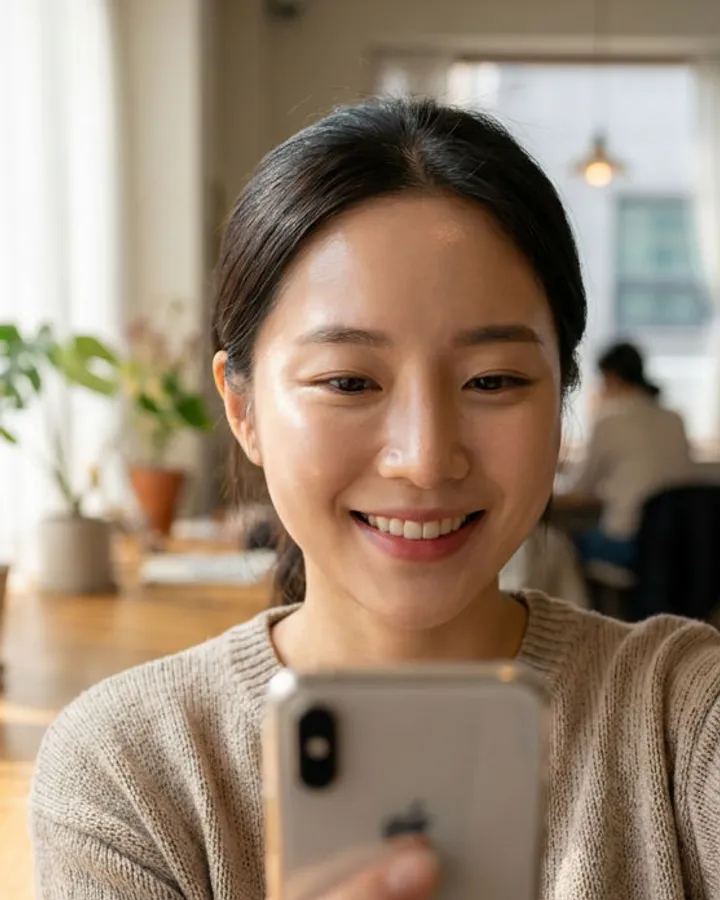
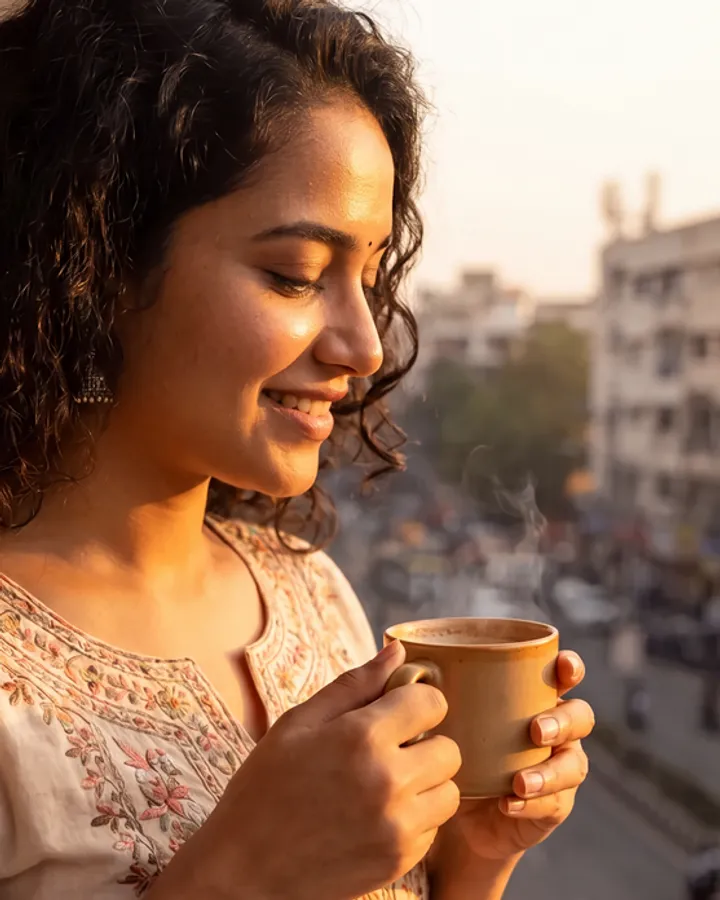
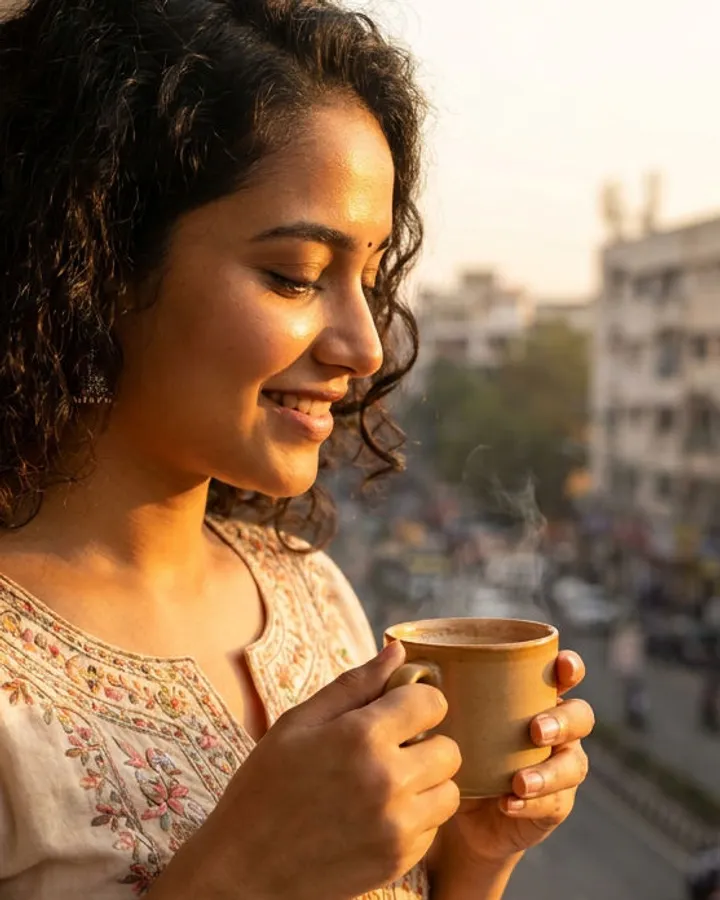
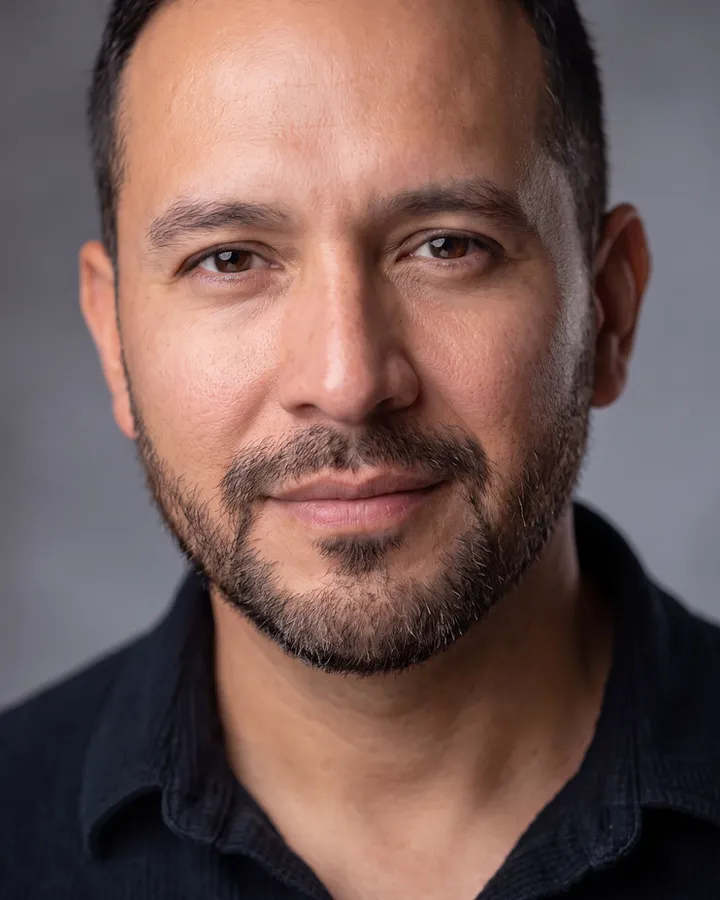
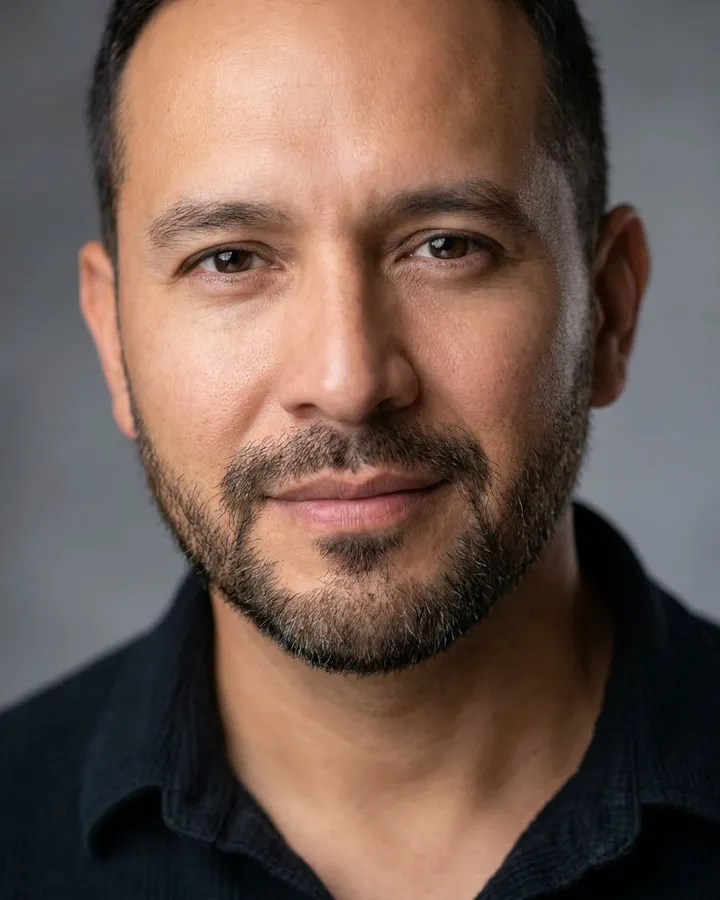
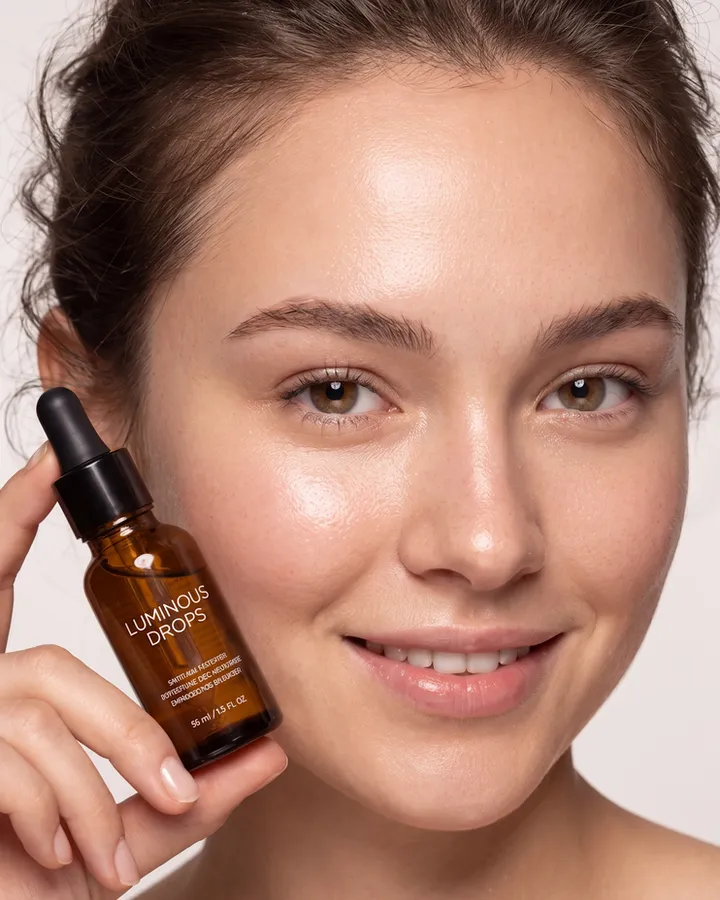
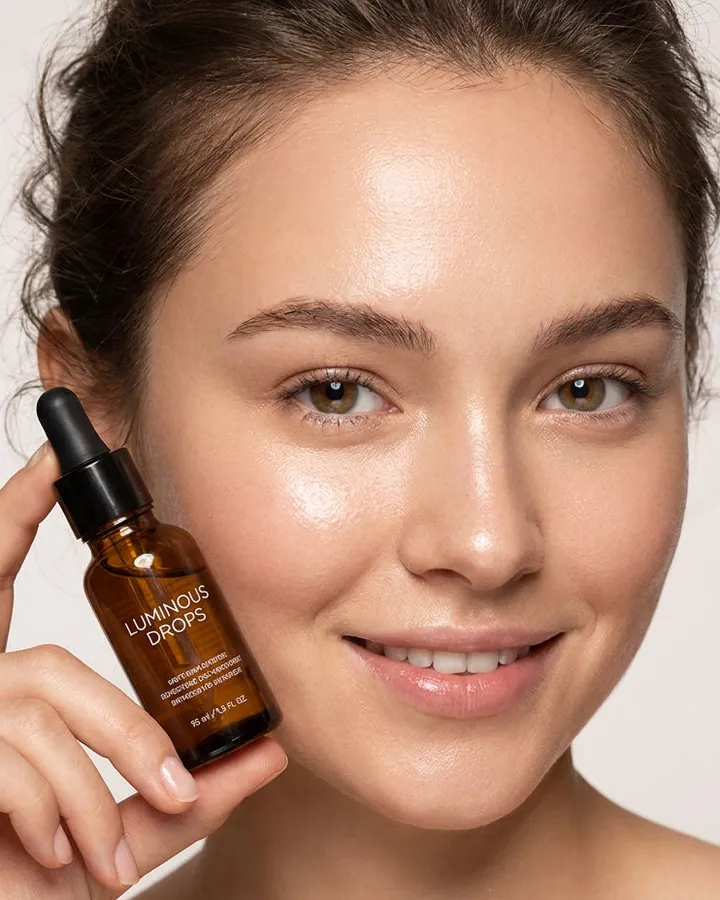
How it was tested: ten portraits were generated from plain “flawless, 8K, studio lighting” prompts, across deep and light skin, an older face, men and women, glasses, phone selfies, half-body shots and products in hand. Each was run once through each block. A pair passed only if it came back as the same photo, with the same face, expression, gaze, pose and crop, and with real texture where the plastic had been.
How it works
- Open Nano Banana Pro or GPT Image (including ChatGPT) in edit mode and attach the AI photo that looks plastic.
- Paste the block for that model, exactly as written.
- Generate, then check that the face and the crop held. If your tool asks for a size, match your photo.
- Upscale the result with Magnific Precision V2 at the settings in the guide, about $0.12 an image on FLORA. This step is optional.
- Still waxy? Try the one-line helper. Face drifted? Try the shorter block. Both are included.
Who it’s for
Product-stills freelancers and small brands whose last delivery came back with “can you make it less AI?”
Inside
- Block A for Nano Banana Pro edit mode: brings back pores, sheen and real eyes without redrawing the face
- Block B for GPT Image and ChatGPT edit mode: a gentler fix, for when the face must not move at all
- Tested Magnific Precision V2 settings, because in testing the upscale on its own added no pores: one set for real photos, one for clean ads
- Two helper lines, for a photo that is still waxy or a face that drifts
- A 12-page PDF guide with tested before-and-after pairs, so you know what a good result looks like
- A plain text file, so the blocks paste in clean
How you get it
Pay once through a hosted checkout. The download link lands in your email within a minute, and the files are yours to keep.
Questions
Why do AI portraits look plastic?
Image models average away the small things that make skin read as real: pores, slight changes in tone across the face, fine facial hair, the off-white of a real eye and a catchlight shaped like the actual light. The result is smooth, even and waxy. Un-Plastic puts those details back without redrawing the person.
Will it change the person’s face?
Not in testing. Both blocks tell the model to keep the identity, expression, gaze, pose, crop and light direction. Block A held the face, the smile and the gaze on all ten photos in Nano Banana Pro at 4K, and Block B held the face on all ten in GPT Image at 1K. At 2K, check the crop: one GPT Image run came back slightly tighter.
Why add an upscaler?
The edit block adds what the upscale cannot: pores, sheen and real eyes. The upscaler adds what the block cannot: overall photographic crispness. In testing, Magnific Precision V2 on its own made photos sharper but never added a pore, and the block on its own stayed a little soft. Block first, then the upscale, was best on all three photos tested this way.
Will I need to pay for anything else?
Only your usual tools. The edit runs on whichever site you already use for Nano Banana Pro or GPT Image. The optional upscale uses Magnific Precision V2, which costs about $0.12 an image on FLORA (October 2026), paid to FLORA from prepaid credits. Un-Plastic does not include tool credits.
Does it work in ChatGPT?
Yes. Block B is written for GPT Image, the model behind image editing in ChatGPT. Attach your photo, paste Block B and send. Its change to the skin is gentler than Block A’s in Nano Banana Pro, and it shows best at larger output sizes.
Does it work on darker skin tones?
Yes. On deeper skin the blocks render glow as specular sheen along the cheekbones, brow and nose, not as brightening, and never grey or ashy. Two of the ten test portraits have deep skin, and both passed.
What won’t it fix?
Illustration, anime and 3D-render styles, faces too small in the frame, group shots, and photos with a heavy beauty filter already baked in. Crop in first if the face is small, and do one face at a time.
Can I get a refund?
Yes, within 30 days, if Block A changed the face, the smile or the gaze on your photo. Reply to your Gumroad receipt with the photo you started from and the result. Before you buy, check “What won’t it fix?” above.
What do I get, and how?
A 12-page PDF guide with both blocks, the upscale settings, the two helper lines and the tested before-and-after pairs, plus a plain text file for clean copy-paste. Pay once through Gumroad and the download is yours straight away, with a copy by email. Updates are free.